
Local SEO and Google Business Profile: The Complete Optimization Guide
Google Business Profile (still widely searched for under its old name, Google My Business) is the single biggest lever a small business has for local SEO. This guide covers everything from setup to advanced optimization, reviews, service areas, and how the same profile now feeds AI search results too.
TL;DR: Google Business Profile (formerly Google My Business) is the free listing that controls whether your business shows up in the Google local pack, Google Maps, and increasingly, AI Overviews and LLM answers. Optimizing it means filling out every field completely, choosing the right categories, adding real photos, posting regularly, and actively managing reviews. It’s one part of local SEO, not the whole strategy, but it’s the part with the biggest immediate impact for a small business.
Table of Contents
- What Is Google Business Profile?
- How Google Business Profile Powers Local SEO
- Is Google Business Profile Free?
- How to Claim and Set Up Your Profile
- Google Business Profile Optimization Checklist
- Getting and Managing Google Reviews
- How Google Business Profile Compares to Other Channels
- Local SEO vs. Organic SEO
- Google Business Profile for Service-Area Businesses
- Multi-Location and Healthcare Practice Profiles
- Common Google Business Profile Mistakes
- Tracking Results with Insights
- Google Business Profile and AI Search
- FAQ
What Is Google Business Profile (Formerly Google My Business)?
Google Business Profile is the free tool that controls how your business appears across Google Search and Google Maps: your name, address, phone number, hours, category, photos, reviews, and posts. If your business shows up on the right side of a Google Search result with a map, star rating, and “Call” or “Directions” button, that’s your Google Business Profile.
Why Google Renamed Google My Business to Google Business Profile
In 2021, Google retired the standalone Google My Business app and rebranded the product as Google Business Profile. Profiles are now managed directly from Google Search and Google Maps, or through Business Profile Manager, rather than a separate app. Both names still get searched constantly, and both refer to the same underlying listing, so this guide uses them somewhat interchangeably, the way most business owners actually search for the topic.
How Google Business Profile Powers Local SEO
Local SEO is the broader discipline. Google Business Profile is the single most influential piece of it. Google’s local ranking algorithm weighs three main factors when deciding which businesses to show for a local search:
- Relevance: how well your profile and website match what the searcher is looking for
- Distance: how close your business (or your service area) is to the searcher or the location they specified
- Prominence: how well-known and well-reviewed your business is, both on Google and across the web
The Google Local Pack and Map Pack Explained
The “local pack” (sometimes called the map pack) is the block of three business listings, with a map, that appears above regular search results for local queries. It’s built almost entirely from Google Business Profile data. A business with an incomplete or unclaimed profile is rarely eligible to appear there, no matter how good its website is.
Is Google Business Profile Free?
Yes. Creating, claiming, and optimizing a Google Business Profile costs nothing, there’s no fee to Google for any part of it. What people are often really asking is one of two different things:
Free: Organic Optimization
Filling out your profile, adding photos, posting updates, and earning reviews doesn’t cost anything except time. This is what most of this guide covers.
Paid: Local Services Ads
Google also sells paid placements above the organic local pack (Local Services Ads and Google Ads). Those are a separate, paid product from your free Business Profile listing, and worth budgeting for separately if you use them.
If you’re paying an agency or freelancer, you’re paying for their time and expertise managing the free listing well, not for the listing itself. See the cost breakdown on our Local SEO for Small Business page for typical monthly investment ranges.
How to Claim and Set Up Your Google Business Profile
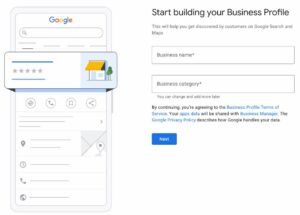
- Search for your business on Google to see if a profile already exists (sometimes Google auto-generates one from third-party data).
- Claim or create the profile at google.com/business, using an email address your business controls, not a personal freelancer or agency account you might lose access to later.
- Verify your business. Google typically verifies by postcard, phone, email, or video, depending on your business type and category.
- Fill out every available field before publishing: category, hours, phone, website, service area or address, and business description.
- Add your team as managers if more than one person needs access, rather than sharing a single login.
Google Business Profile Optimization Checklist
Once your profile is verified, optimization is about completeness and consistency. Here’s what to work through, roughly in order of impact:
Categories and Attributes
Choose the single most accurate primary category, then add every relevant secondary category. Attributes (like “wheelchair accessible,” “free estimates,” or “women-owned”) add further detail that helps Google match your profile to specific searches, and they show up directly on your listing for searchers to see.
Services and Business Description
List every service you actually offer, not just a headline description. The business description field is a chance to naturally include your service area and specialties in plain language, written for people, not stuffed with keywords.
Photos
Add real, current photos: the exterior and interior, your team, vehicles or equipment, and completed work. As the stats above show, profiles with photos get meaningfully more direction requests and website clicks. Update photos periodically rather than uploading once and never returning.
Posts
Google Business Profile Posts work similarly to a short social media update: a promotion, a new service, a seasonal reminder, or a recent project. Posts don’t carry the reach of a dedicated social platform, but they signal an active, maintained profile, which supports local rankings, and they give searchers a reason to engage right there in the search result.
Service Areas
If customers come to you, use a physical address. If you go to customers (a common setup for home service businesses), set a service area instead of, or in addition to, a public address, and list every city or region you actually serve. An overly broad service area that doesn’t reflect where you really work can hurt relevance rather than help it.
Want Us to Audit Your Google Business Profile?
We’ll show you exactly what’s missing, no obligation.
Getting and Managing Google Reviews
Reviews affect both your local pack ranking and whether a searcher actually calls you. A simple, repeatable ask, at the moment a job or appointment wraps up, outperforms occasional bulk review campaigns. A few practical guidelines:
- Ask in person or by text/email right after a positive interaction, while it’s fresh
- Never offer payment or discounts in exchange for a review, this violates Google’s policies and can get reviews removed
- Respond to every review, positive and negative, within a few days
- For a negative review, respond calmly and professionally, acknowledge the concern, and move the specifics offline rather than arguing in public
How Google Business Profile Compares to Other Channels
Google Business Profile vs. Yelp
| Factor | Google Business Profile | Yelp |
|---|---|---|
| Cost | Free | Free basic listing, paid ads available |
| Where it shows up | Google Search, Google Maps, local pack, AI Overviews | Yelp app/site, sometimes surfaced in Google results |
| Direct SEO impact | Primary input to Google’s local pack rankings | Indirect, functions more as a citation and review source |
| Reviews | Directly visible in Google search results | Visible on Yelp, influential in some industries (restaurants, home services) |
| Recommendation | Required, optimize fully | Worth claiming and keeping accurate for citation consistency |
Google Business Profile Posts vs. Social Media Posts
Posts on your Google Business Profile and posts on Instagram or Facebook serve different purposes. Social posts build a following and reach people who already know you. Google Business Profile Posts reach people actively searching for what you do, right at the moment they’re deciding who to call. They’re worth doing both, but don’t assume one replaces the other.
Local SEO vs. Organic SEO
Google Business Profile optimization is a local SEO tactic specifically, it doesn’t directly move your rankings for broad, non-local, organic search terms. The two disciplines overlap (a well-built website supports both) but they target different search results and different searcher intent. For a full breakdown of local versus national/organic SEO strategy, see our Local SEO for Small Business guide, or start from the fundamentals in what local SEO is and why it matters.
Google Business Profile for Service-Area Businesses
Plumbers, electricians, roofers, and HVAC companies typically don’t want customers showing up at a home office or warehouse, so Google Business Profile lets you hide your address and instead define a service area. Set this to reflect where you genuinely, reliably operate, a service area that’s too large relative to your actual footprint tends to dilute relevance for the areas that matter most. Category selection matters even more for service-area businesses since there’s no storefront to reinforce what you do. See SEO for Home Service Businesses, Plumber SEO Company vs. DIY, and Roofing SEO Company for more on this vertical.
Multi-Location and Healthcare Practice Profiles
A healthcare practice with multiple providers or locations needs a Google Business Profile strategy of its own: a profile for the practice itself, and in many cases, individual provider profiles as well, all kept consistent on NAP and category. Multi-location businesses should manage every location through one Business Profile account (never separate personal logins per location) and keep categories, hours, and descriptions consistent across every profile, while still localizing content like service area and photos per site. See Healthcare SEO Services, SEO for Doctors, and Medical SEO Company vs. In-House for healthcare-specific guidance.
Common Google Business Profile Mistakes to Avoid
- Leaving the profile unclaimed, letting Google or a third party control what’s shown
- Choosing an inaccurate primary category to try to rank for unrelated searches
- Letting NAP (name, address, phone) drift out of sync with your website and citations
- Buying or incentivizing fake reviews
- Ignoring negative reviews instead of responding professionally
- Setting an unrealistically large service area
- Uploading a handful of photos once and never updating them
- Sharing one login across an agency, staff, and past employees with no access control
Tracking Results with Google Business Profile Insights
Business Profile Manager includes built-in performance data: how customers found you (direct, discovery, or branded search), what actions they took (calls, direction requests, website clicks), and how your photos compare to similar businesses. Website traffic from your profile typically shows up in Google Analytics as a referral or direct session depending on how it’s tracked, so it’s worth checking both Business Profile Insights and your website analytics together rather than either one alone.
Google Business Profile and AI Search
The same profile data that feeds the Google local pack is also a primary source for AI Overviews and LLM-based answers (ChatGPT, Gemini, Perplexity) when someone asks for a local recommendation. A complete, accurate, well-reviewed Google Business Profile helps you get cited correctly in both. This is part of why optimizing for LLMs and traditional search engines is built into our local SEO offering at Lift SEO Services, rather than treated as a separate project. See AEO, GEO, and SEO for more on how we approach AI-driven local search.
Frequently Asked Questions
How do I do local SEO for my Google Business Profile?
Claim and verify your profile, choose accurate categories, fill in every field completely, add real photos, post updates regularly, and build a consistent flow of reviews. Pair that with matching NAP details across your website and citations for the biggest local SEO impact.
Can I optimize my Google Business Profile myself, or should I hire someone?
You can absolutely do the basics yourself: claiming the profile, filling in fields, and asking for reviews. Where a local SEO company typically adds value is consistency over time, category and attribute strategy, review response, and coordinating the profile with the rest of your website and citations.
Is Google Business Profile free?
Yes, creating and optimizing a Google Business Profile is free. Google separately sells paid placements like Local Services Ads and Google Ads, which are a different product from the free organic listing.
How much does Google Business Profile optimization cost if I hire help?
The listing itself is free, so any cost you pay covers a person’s or agency’s time managing and improving it. See our Local SEO for Small Business page for typical monthly local SEO pricing ranges.
What replaced Google My Business?
Nothing replaced it, Google renamed it. In 2021, Google My Business became Google Business Profile, and the standalone app was retired in favor of managing listings directly from Google Search and Google Maps.
Is Google Business Profile worth it for a small business?
Yes, for almost any business that serves local customers. It’s free, it’s the main input to the Google local pack, and it’s often the first thing a potential customer sees about your business before they ever visit your website.
Do Google Business Profile posts actually help SEO?
Posts alone are a minor ranking factor, but an actively maintained profile, which regular posting is part of, correlates with stronger local performance. Posts also give searchers something current and relevant to see right in the search result, which supports clicks and calls even if the direct ranking effect is modest.
Does Lift SEO Services optimize Google Business Profile for AI search too?
Yes. We build every Google Business Profile and local SEO engagement to support both traditional search engines and LLMs, since AI Overviews and AI assistants pull from the same profile, review, and citation signals that power the Google local pack.
Ready to Fix Your Google Business Profile?
Lift SEO Services builds and manages Google Business Profiles as part of a full local SEO strategy for healthcare practices and home service businesses. Let’s talk about what your profile is missing.



Not ranking where your customers are searching?
Talk to our SEO specialist team. No obligation, no pressure.